A modern launcher
for Windows 11
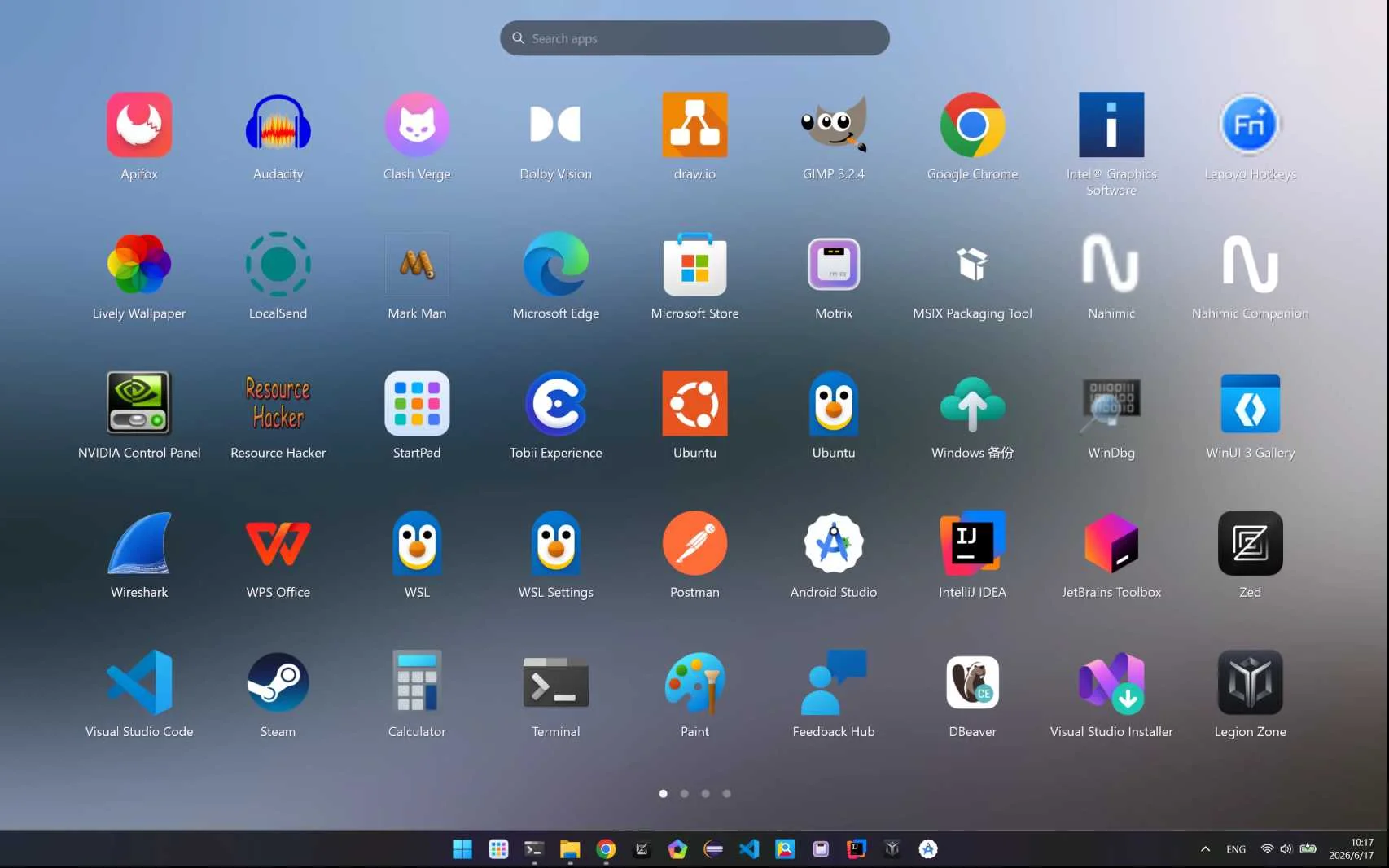
Full-screen launch, instant search, and folder organization — a native app just over 1 MB that clears the shortcut clutter off your desktop.
Built around the way you actually work
Management
Organization
Put every app back where it belongs
Group apps into folders, then uninstall or create a desktop shortcut straight from the right-click menu. StartPad turns a cluttered Start menu and a crowded desktop into one clean full-screen grid.
Start OrganizingSearch & Launch
Type to find. Enter to launch.
Open StartPad and start typing to filter your apps instantly. Hit Enter to launch — never lift your hands off the keyboard, and never dig through the Start menu again.
Try the SearchApplication
Core Features
Clean on the surface. Full control underneath.
Full-screen launcher
Inspired by macOS Launchpad — every app laid out in a full-screen grid, with Windows Fluent styling throughout.
Instant search
Open it and type to filter. Press Enter to launch immediately, without hunting through the Start menu.
Folder organization
Group related apps into folders for a cleaner entry point, and cut down the shortcuts piling up on your desktop.
Right-click actions
Uninstall an app or create a desktop shortcut right from the context menu. Managing apps takes one click.
Make it yours
Light and dark modes, plus custom hotkeys, backgrounds, and icons — shape the launcher around your setup.
Native and light
Fully native with GPU acceleration. Just over 1 MB installed, barely any memory, and it opens without a stutter.
Support
Need a hand? We're here.
Customer support
Running into trouble with activation, payment, downloads, or day-to-day use? Send us an email.
Send EmailUpdates and feedback
Follow along for release notes and feature walkthroughs — and bring your feedback, questions, and ideas to r/StartPad.
Discuss on Reddit